

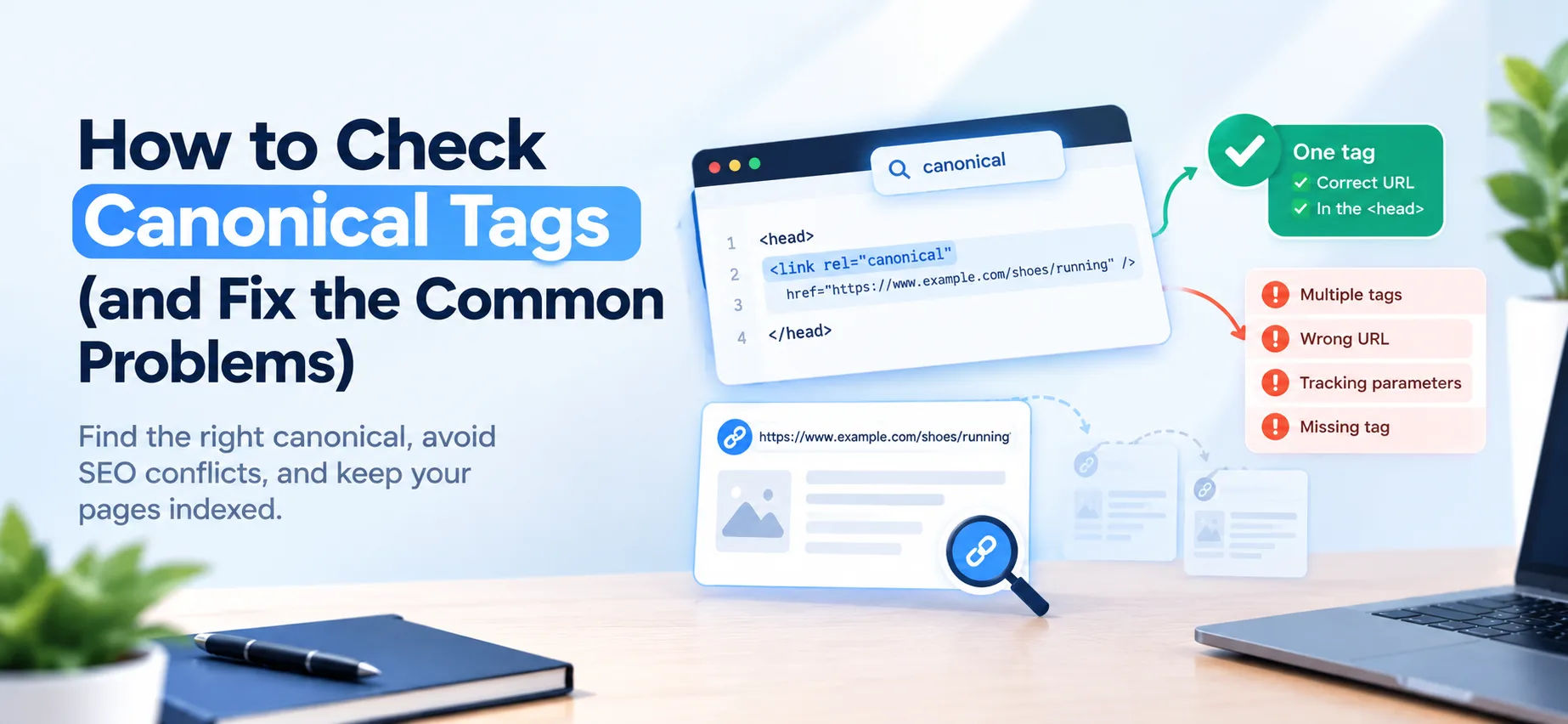
To check a canonical tag, open the page, view its source, and search for rel="canonical". You should find exactly one link tag in the head of the page, pointing to the preferred URL for that content. If it is missing, appears twice, or points somewhere you did not intend, search engines may pick the wrong version of your page. The steps below take about a minute per page, and the fixes for each common problem follow.
What a canonical tag is
A canonical tag tells search engines which URL is the main version when the same or very similar content is reachable at more than one address. It looks like this:
<link rel="canonical" href="https://www.example.com/shoes/running" />
Google treats it as a strong hint, not a command. If your other signals disagree, Google can choose a different canonical than the one you declared. Redirects are a strong signal too, and a URL's presence in your sitemap is a weaker one, so a canonical that contradicts your redirects or sitemap is the usual reason Google overrides you. The sitemap side of this is covered in how to create and submit an XML sitemap.
Check it in 60 seconds
- Open the page you want to check in your browser.
- View the source. Right-click and choose View Page Source, or add
view-source:before the URL. - Search for "canonical". You are looking for a
linktag withrel="canonical". - Read the href. It should be the full, absolute URL of the version you want to rank: correct protocol (https), correct host (www or non-www, whichever you use), and no tracking parameters.
- Count the tags. There should be one. Two canonical tags that disagree can lead search engines to ignore both.
If you want to see what Google decided, open Google Search Console, paste the URL into the URL Inspection tool, and compare the User-declared canonical with the Google-selected canonical. If they differ, Google is overriding you and something else on the site is pointing a different way.
You can also run the page through the free SEO checker as a quick pass over your on-page basics.
If the tag is missing from the source, check the rendered page
View Page Source shows the HTML exactly as your server sent it. If your site adds the canonical with JavaScript, it will not appear there even though it may exist once the page loads. Two ways to check the rendered version:
- Open your browser's developer tools, go to the Console and run
document.querySelector('link[rel=canonical]').href. It prints the canonical the page ends up with, or an error if there is none. - In Search Console's URL Inspection tool, open the crawled page view to see the HTML Google actually stored.
Google can read a canonical added by JavaScript, but it advises injecting the tag properly and keeping the signal as clear as possible. The simplest fix is to put the canonical in the server-sent HTML so there is nothing to render.
A broken tag and its fix
Here is a head with three separate mistakes in two tags. This is a real pattern: a theme adds one tag and an SEO plugin adds another.
<head>
  <link rel="canonical" href="http://example.com/" />
  <link rel="canonical" href="https://www.example.com/shoes/running?utm_source=newsletter" />
</head>
What is wrong:
- There are two canonical tags, and they disagree.
- The first points to the homepage, over
http, on the non-www host. - The second includes a tracking parameter, which tells search engines to prefer the tracked version.
The fix is one tag, with the clean URL:
<head>
  <link rel="canonical" href="https://www.example.com/shoes/running" />
</head>
What a correct canonical looks like
- It sits inside the
<head>of the page. A canonical tag placed in the body is ignored. - It uses an absolute URL. Google accepts relative paths, but advises against them because they can cause trouble later, for example when a page is served from a different host.
- It points to a page that returns a normal 200 status, not a redirect, a 404 or a page blocked from indexing.
- Each page has its own self-referencing canonical, meaning the page points to itself, unless it is a true duplicate of another page.
- It is the only canonical signal on the page. If you also send one in an HTTP header, it must name the same URL.
A self-referencing canonical on every indexable page is a sensible default. It protects you when someone links to your page with extra parameters on the end.
The most common canonical problems
Missing canonical
Not always a disaster, since search engines can work out duplicates themselves, but it leaves the decision to them. Add a self-referencing canonical to every page you want indexed.
How to spot it: no result when you search the source for canonical, and no result in the rendered page either.
Canonical pointing to the wrong page
A template that hard-codes the homepage as the canonical for every page is a classic mistake. Search engines may then treat your whole site as duplicates of the homepage. Spot-check several different page types, not just one: a product page, a blog post, a category page and a search or filter page.
How to spot it: the canonical on an inner page shows your homepage URL, or a different page's URL.
Mixed protocol or host
A single page can be reachable at four addresses:
http://example.com/shoes/running
http://www.example.com/shoes/running
https://example.com/shoes/running
https://www.example.com/shoes/running
Pick one, and make everything agree on it. If your site runs on https://www.example.com, then your canonical, your redirects from the other three, your internal links and your sitemap should all use https://www.example.com/shoes/running. A canonical pointing to http://example.com while the rest of the site uses the secure www version sends a conflicting signal, and Google generally prefers HTTPS when it chooses.
How to spot it: the canonical's protocol or host differs from the address in your browser's address bar after redirects, or your sitemap lists a different version than your canonical. The robots.txt, sitemap.xml and llms.txt guide explains what each of those files should be telling crawlers.
Tracking parameters in the canonical
The canonical should be the clean URL. If ?utm_source=newsletter ends up in the tag, you are telling search engines to prefer the tracked version.
How to spot it: a ? in the canonical href, especially after a visit from a campaign link.
Canonical to a redirected, broken or noindex page
A canonical should point to a page that exists and can be indexed. Pointing at a redirect, an error page or a noindex page confuses the signal.
How to spot it: open the canonical URL itself. If it redirects, errors or carries a noindex instruction, the tag needs a new target.
Paginated pages pointing to page one
A common mistake is setting the canonical of /blog?page=2 to /blog. Page two has different content, so give each page in a series its own self-referencing canonical.
How to spot it: view the source of page two or three of any list on your site and compare the canonical with the page's own URL.
Two canonical tags
This usually happens when a theme and an SEO plugin both add one. Check the source for duplicates and turn one of them off.
How to spot it: searching the source for canonical returns more than one link tag, or the rendered page has a different canonical from the server-sent source.
Blocking the duplicate in robots.txt
If you block the duplicate URL in robots.txt, crawlers cannot read its canonical tag at all. Let them crawl it so they can see the tag.
How to spot it: URL Inspection reports the duplicate as blocked by robots.txt, and the canonical you declared on it is never picked up.
Canonical on translated pages
If you run a multilingual site, each language version should point to itself, not to the version in your main language. Pointing every translation at one language tells search engines the others are duplicates and can keep them out of results. Use hreflang annotations to connect the translations instead.
How to spot it: a page in one language whose canonical is the same page in another language.
When to use a canonical
Use one when you have real duplicate or near-duplicate content on different URLs, for example:
- The same page reachable with and without a trailing slash
- Product pages with sort or filter parameters
- Print versions or alternate views
- Content you syndicate on another site, where the republished copy points back to your original
If a page should simply not appear in search, a canonical is the wrong tool. Use a noindex instruction instead, and do not combine the two on the same page. If an old URL has permanently moved, a redirect is the stronger and clearer choice than a canonical.
Canonical tags for non-HTML files
For files such as PDFs, which have no head, you can send the canonical in the HTTP response header instead of in the page. The header looks like this:
Link: <https://www.example.com/downloads/guide.pdf>; rel="canonical"
Use an absolute URL here too. You set the header in your server configuration, on the response for the file that is the duplicate. For example, if the same guide is also published as a Word file and you want the PDF to be the main version, the Word file's response carries the header. On nginx:
location = /downloads/guide.docx {
  add_header Link '<https://www.example.com/downloads/guide.pdf>; rel="canonical"';
}
On Apache, with mod_headers enabled:
<Files "guide.docx">
  Header set Link '<https://www.example.com/downloads/guide.pdf>; rel="canonical"'
</Files>
To confirm it works, request the file's headers (for example with curl -I) and look for the Link line. Do not give a page one canonical in the header and a different one in the tag, since conflicting signals are exactly what you are trying to avoid.
While you are in the head
You are already looking at the head of the page, so check the other tags that live there while you are at it. Your title should fit the space search results give it, which the title tag length guide covers. Your meta description and social sharing tags are covered in how to add meta description and Open Graph tags. If you are auditing a whole site, not one page, the SEO audit checklist for a new site puts canonicals in context with everything else worth checking.
Quick checklist
- One canonical tag per page, in the head, in the server-sent HTML where possible
- Absolute URL, correct protocol and host
- No tracking parameters
- Points to an indexable page that returns 200
- Matches your redirects, internal links and sitemap
- Self-referencing on normal pages, including each page of a series and each language version
- Not contradicted by an HTTP header or a noindex instruction
Run your pages through the SEO checker after you fix them, then use URL Inspection in Search Console to confirm Google agrees.
Comments
No comments yet — be the first.