

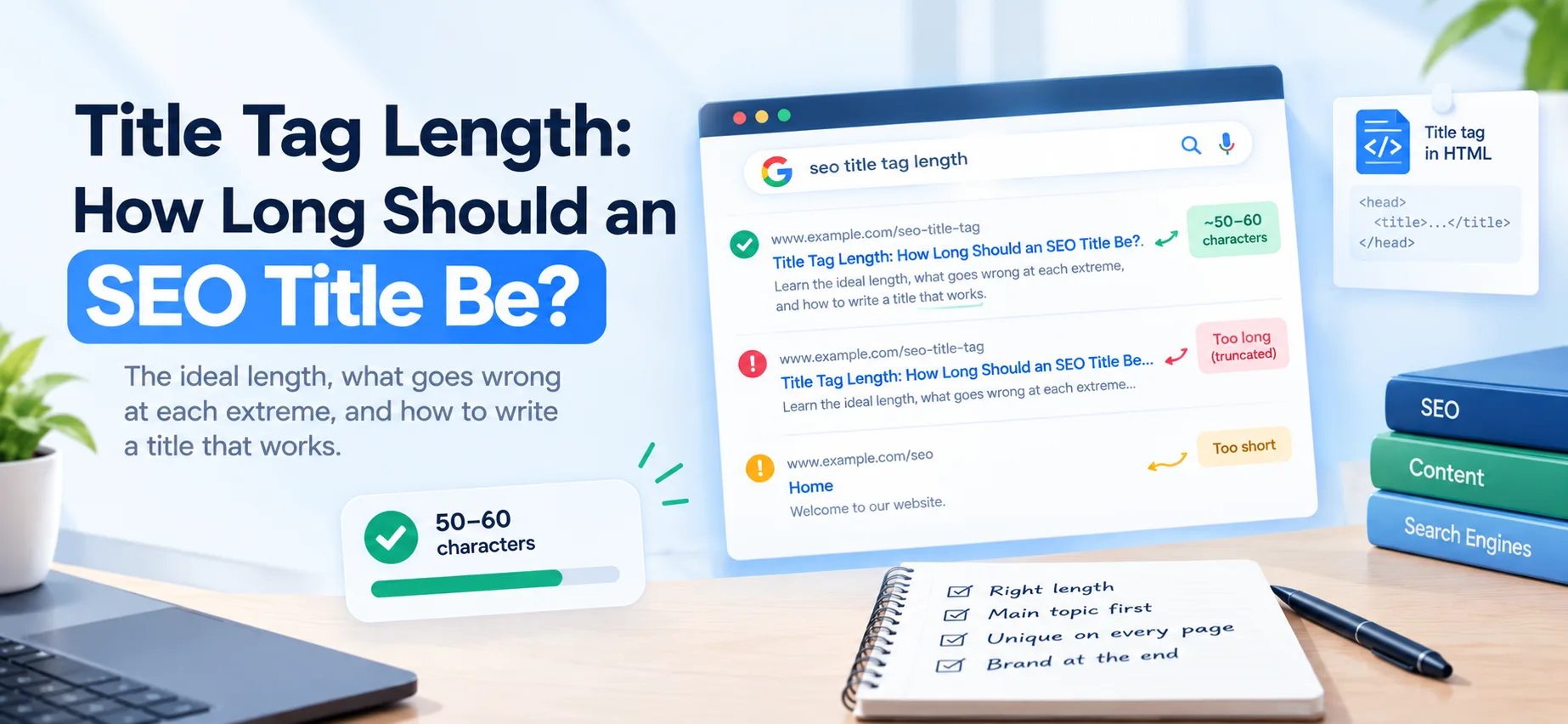
Aim for roughly 50 to 60 characters, and put the most important words first. Google has no official character limit for title tags. What it does is cut titles off in search results when they run too wide for the space, so a title that is too long loses its ending rather than being penalized.
That one sentence is the whole answer. The rest of this post explains why the number is fuzzy, what actually goes wrong at each extreme, and how to write a title that works whatever the screen.
Why there is no exact number
Search results are laid out in pixels, not characters. Google has said there is no limit on how long a title element can be, but that results will be truncated as needed. A title full of wide letters such as W and M takes more room than one full of narrow letters such as i and l. Ten M's and ten i's are both ten characters, yet the first takes up several times the width of the second. Two titles with the same character count can therefore display very differently.
The commonly cited desktop figure is around 600 pixels. Treat that as a rule of thumb, not a promise, because Google changes its layout from time to time. Fifty to sixty characters fits inside that width for most ordinary titles, which is why the range is so widely used.
Mobile is less predictable. Mobile layouts can show titles with a different width, and in many cases a title can wrap onto a second line before it is cut. A title that looks trimmed on desktop may show more on a phone, and the reverse can happen too. This is one more reason to front-load what matters: the first few words are the only part you can count on being seen everywhere.
What happens when a title is too long
The end gets replaced with an ellipsis. If your brand name or your main keyword sits at the end, it can disappear from the result. Nothing else breaks: the full title is still read by search engines, and a long title is not a ranking penalty on its own.
The real cost is to the searcher. A cut-off title can lose the very words that would have convinced them to click, and it can make a result look careless next to its neighbors.
What happens when a title is too short
A very short title wastes space you could use to say what the page is about. "Home" or "Blog" tells searchers nothing and gives search engines little to work with. Use the room you have. A title in the 40 to 60 character range usually has space for the topic, a specific promise and a short brand name.
Google may rewrite your title
Google can show a different title from the one in your tag. It may do this when the tag is too long, stuffed with keywords, vague, or the same on many pages. It can pull from your main heading or other text on the page instead. A clear, accurate title that matches the page's main heading is less likely to be replaced.
The title is also only half of what a search result shows. The snippet underneath usually comes from the meta description, and Google may rewrite that too. If you want control over both lines of your result, read how to add meta description and Open Graph tags.
Duplicate or near-duplicate URLs can muddy the picture as well. If the same content lives at several addresses, make sure your canonical tags point to the version you want shown. How to check canonical tags walks through it.
How to write a good title tag
- Lead with the topic. Put the words people search for near the start, so they survive truncation.
- Describe the page honestly. The title should match what the visitor finds.
- Make every title unique. Duplicate titles across pages make it harder to tell them apart.
- Put the brand last. A short brand name at the end, separated by a dash or pipe, is fine. It is the part you can afford to lose.
- Skip keyword stuffing. A string of repeated terms reads badly and invites a rewrite.
- Write for the click. The title is the headline of your search result. A specific, useful promise beats a vague label.
In HTML, the title lives in the head of the page:
<head>
  <title>Free SEO Checker: Audit Any Page in Seconds | HalfDev</title>
</head>
Examples
Weak:
Home(4 characters)Welcome to our website | Best SEO Tools | Free SEO Checker | SEO Audit | Website Analyzer | HalfDev(99 characters)
Better:
Free SEO Checker: Audit Any Page in Seconds | HalfDev(53 characters)How to Check Canonical Tags (and Fix Common Problems)(53 characters)
The first weak title says nothing. The second is a pile of keywords and will be cut off long before the end, which would remove the brand and most of the terms with it.
Both better titles lead with what the page is, make a clear promise, and finish well inside the safe range. The first keeps a short brand name at the very end, where losing it would cost the least.
Title tag vs. H1
They do different jobs. The title tag appears in search results and browser tabs. The H1 is the main heading on the page. They can be close or identical, and keeping them aligned helps, but the title can be written for the search result while the H1 is written for the reader already on the page. If your headings are muddled, fix that too: how to fix your heading structure covers the H1 and the levels below it.
How to check your own titles
- Find the tag. View the page source and look for the
<title>tag in the head, or hover over the browser tab. - Count the characters. Anything from about 50 to 60 is a safe target.
- Preview it. Check how it looks in a search result with a SERP preview tool, since pixel width is what really counts.
- Look for weak spots. Search Console shows which of your pages get impressions, so you can find pages whose title is worth improving.
- Check for duplicates. Make sure no two pages share the same title.
For a quick pass over your on-page basics, run your page through the free SEO checker. Title tags are also one line on the broader SEO audit checklist for a new site, which is worth working through once your titles are sorted.
Quick checklist
- About 50 to 60 characters
- Main topic and keyword near the front
- Unique on every page
- Matches the page content
- Brand name at the end, short
- No keyword stuffing
Comments
No comments yet — be the first.