What the report does
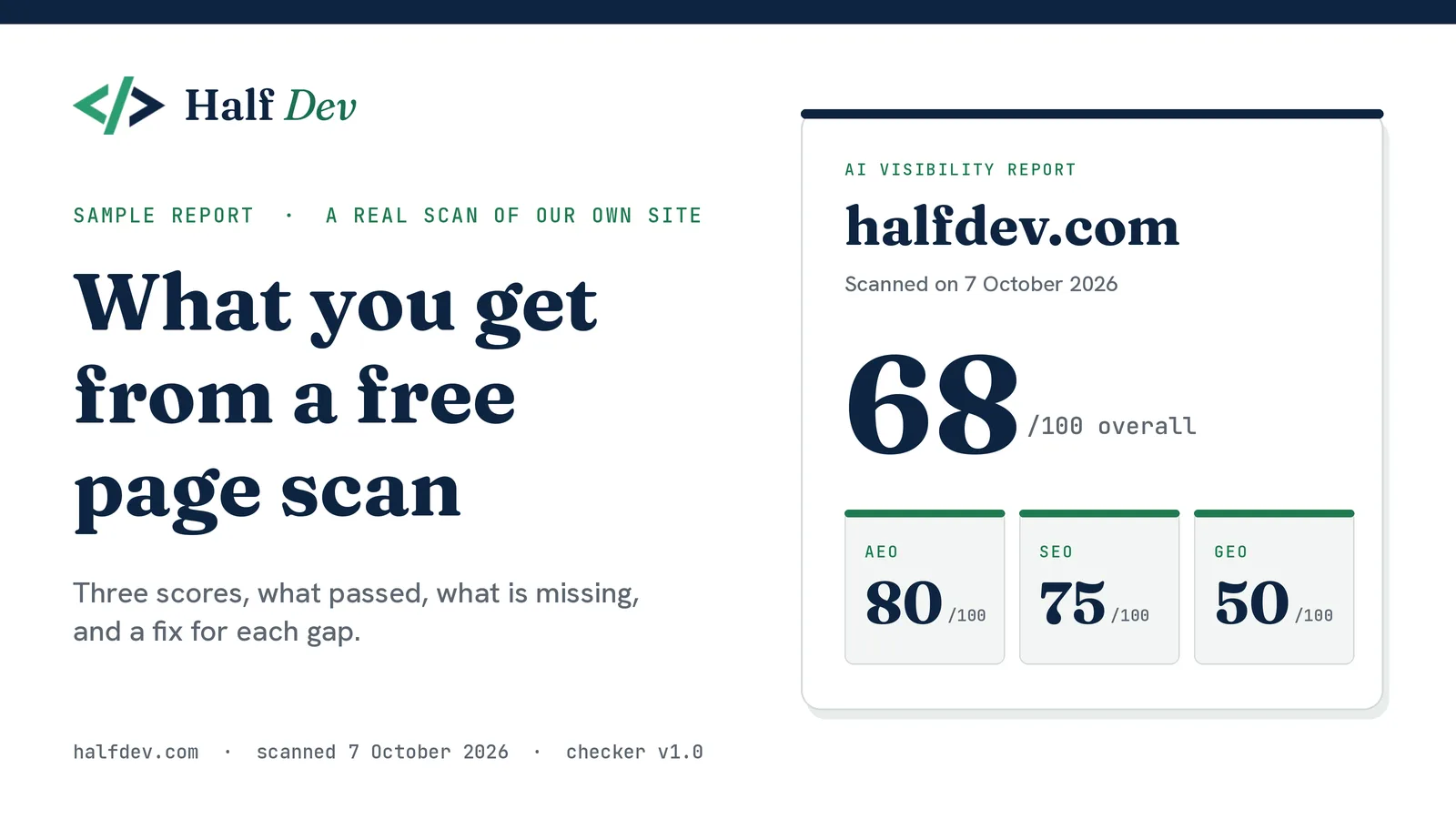
After a scan, the report opens with the domain, the page scanned, the scan date and the three scores. It then lists what passed, what is missing or weak, and a numbered list of fixes ordered by the points each one costs, with starter snippets filled in with the scanned domain. It ends with what the scan does not check and an optional offer of help by email. What your Half Dev score means explains how the points are worked out.
Decision 1: the report stays in your browser
After a scan, the result is saved in your browser's local storage with a timestamp, and the report page reads it back from there. It expires after one hour. A "Clear report" button on the page removes it sooner. A copied report link shows only the message "Run a scan to see your report", with nothing about the site in it.
We chose this because most people who scan a page do not need us to keep a copy. Nothing is stored on our side, so there is nothing to log, secure or delete, and a report link cannot leak what a scan found about someone's site.
It has costs. The report does not follow you to another browser or device, and it is gone after an hour, so print it or save it as a PDF if you want to keep it. If your browser blocks storage, the save fails quietly and you see the "run a scan" message instead of an error.
Two details follow from keeping data somewhere the visitor controls.
-
The saved result is treated as untrusted. Anyone can edit what is in their own browser, so the report rejects results with a bad status or score, ignores a timestamp far in the future, and swaps a tampered URL for a placeholder domain that never reaches a code snippet.
-
It is separate from the shared result link. That link, described in how we built the free AI visibility checker, carries only the domain, the three scores and the scan time, and is signed. The report itself is never inside a link.
Decision 2: the report page is not indexed
The report page carries a noindex, nofollow robots tag, is left out of the sitemap, and is not blocked in robots.txt. That last part matters: a crawler that is blocked from a page cannot see the noindex tag on it. The report belongs to one visitor and one scan, so it should not appear in search results. A crawler has no saved scan to show, so it would see only the empty message anyway, and the tag makes that explicit.
Decision 3: one source for the text, and a test for it
The scanner has 12 checks, and each can return several results. Counting every one, there are 48 distinct outcomes: 19 for AEO, 19 for SEO and 10 for GEO. The llms.txt check alone has seven, from "found with a title and links" to "missing". Every outcome needs a finding, a reason it matters and, where something is wrong, a fix.
The report is built from the scan result by one module, reportContent.js. For each check, the explanation and the fix steps come from that check's tool page, so the report and the tool pages cannot drift apart. A test script checks that:
-
all 12 checks are registered, and every outcome has text filled with real data
-
no text contains "undefined", "NaN", a leftover template marker or the word "null"
-
each check's report text matches its tool page
-
fixes are ordered by points lost
-
every JSON-LD snippet is valid JSON
-
nothing promises rankings, traffic or citations, with a rule that allows "a good score does not mean the page will rank" and rejects the opposite
-
odd or tampered input does not crash the report
A second script tests the browser hand-off: a saved result comes back, it expires just after an hour, bad values are ignored, Clear removes it, and blocked storage does not throw. Both pass.
A test cannot say the wording is good. It can only say that nothing is missing, broken or promising too much. When a check comes back without the extra detail the report uses, the report falls back to the scan's own detail line and the tool page's fix instead of failing.
Decision 4: findings use what the scan found
A generic paragraph per check would have been cheaper to write and less useful to read, so the report uses what the scan found:
-
The robots.txt finding names the AI crawlers that are blocked.
-
The title finding gives the real length.
-
The alt-text finding gives counts and lists example images, such as "3 of 12 shown".
-
The canonical finding flags a tag that points to another host, and does not treat the www version of the same site as a different one.
-
An HTTP error shows its code.
Starter snippets are filled in with the scanned domain, and the report tells you to read one before you paste it.
Decision 5: print is part of the design
People print these, so we treated printing as part of the design.
-
The cover is drawn for paper. Dark text on white, with a heavy navy rule across the top. That rule is a border, and a border always prints, so the Half Dev header shows whether or not "Background graphics" is turned on in the print dialog. Nothing in the report relies on a background colour to be readable.
-
A few things keep their colours on purpose: the score tiles, the status tags and the code snippets.
-
Nothing is split. Cards, score tiles, snippets and the cover stay whole across page breaks.
-
The logo swaps to a print version, and a footer with the scan date repeats on every page.
-
The email offer prints as one block with the address as plain text, because a button does nothing on paper.
How we wrote the text
We kept six rules.
-
State the finding first, then why it matters, then the fix.
-
Be specific. Name the crawler, give the length, give the count.
-
Never promise an outcome. No "fix this and you will rank" and no "AI tools will cite you". The test enforces this one.
-
Hedge anything new or unproven. llms.txt is a proposed convention, not an official standard, and support varies, as what is llms.txt, and do you need one explains. We do not claim what AI tools read unless we can source it.
-
Say what a pass does not prove. The structured data line says the scan confirms the block exists but does not validate the contents, and the canonical line says it does not check that the URL is the right one.
-
Give a starter, not a promise. Snippets are filled in for the scanned page, and each fix carries a rule: mark up only questions that are visible on the page, and change a date only when the content has really changed.
What the report does not do
It scans one page and three files on the same site: robots.txt, sitemap.xml and llms.txt. It does not crawl the site, and it does not look at backlinks, page speed, mobile friendliness or content quality. It reads the HTML your server returns, so markup added by JavaScript after the page loads may not be seen. It reads robots.txt only, so a firewall, CDN or bot filter that refuses AI crawlers is invisible to it.
The report is a checklist of technical signals, not a forecast. A good score does not mean a page will rank or that an AI tool will cite it. Every report says so, and a test checks that the limits section is always there.
What we would do differently
Most of what we would change comes from what the report inherits from version 1.0 of the scanner, whose limits are listed in how we built the free AI visibility checker. Four of them show up in the report itself.
-
A failed fetch can read as a finding. A timeout, a bot-protection page or an error from robots.txt, sitemap.xml or llms.txt can appear as a normal result, such as "not found". The report has no way to say "we couldn't read this", and it should.
-
It shows some evidence, not all. For some checks we show what the scan found, such as the crawlers blocked or the images without alt text. For others you get a count or a sentence, not the tag, header or file line itself, so you cannot verify the result without viewing the page source.
-
There is no checker version on the report. It shows the scan date but not which version of the checker produced it. Once the rules change, reports from before and after will not be comparable without a version label.
-
One line looks like a mismatch. The structured data line counts items but lists each type once, so a page with three JSON-LD items can read "Found 3 JSON-LD items: Organization and WebSite". That is correct, but it looks wrong.
What is next
Over the coming weeks we plan to work on these:
-
A "could not be read" status that is left out of the score, with bot-protection pages reported as blocked instead of scored.
-
The evidence for each result: the tag, header or file line the scan found.
-
A version number and date on every report, a change log, and a methodology page that lists every rule, threshold and weight.
-
A check for noindex directives, and a warning for pages built mostly with JavaScript.
-
Clearer error messages that tell DNS failures, TLS errors, timeouts, 403 responses, redirect loops and files that are too large apart.
We would also like to try replacing the llms.txt starter snippet with a draft built from the page's own title, description and top internal links. Each change will carry a version label, so reports stay comparable. If a result in your report looks wrong, tell us and we will fix the tool or the copy.
Tools: SEO checker · AEO checker · GEO checker · llms.txt checker · AI crawler checker
Other posts: What you get from a free page scan · How we built the free AI visibility checker · What your Half Dev score means · What is llms.txt, and do you need one





Comments
No comments yet — be the first.