


Disclosure: getcoretech.net is my brother's site, which I now help run. All screenshots and Search Console data in this series are from that site.
Part of the series Rebuilding a Dead WordPress Site: The Full Series.
In the last post, I wrote about a site that had gotten zero traffic for seven months because of a single WordPress checkbox. Fixing it worked — pages started getting indexed, impressions and clicks started trickling in for the first time since launch.
But getting indexed just means Google can finally see the site. It doesn't mean the site is actually good. Once I went looking for what else was hiding in there, it turned out "getting found" was going to be the easy part.
How to Check if Your Website Is Actually Finished
Once indexing was working, I went through the site page by page. What I found wasn't a handful of small issues — it was evidence that nobody had ever actually finished the build.
Lorem ipsum, live in production. Not on a test page. Not in a hidden draft. Right there on the Privacy Policy and Contact Us pages — real headers like "Privacy & Policy" and "Get in Touch," followed directly by the standard "Lorem Ipsum is simply dummy text of the printing and typesetting industry..." paragraph. Anyone who visited those pages saw placeholder text where actual content should have been.
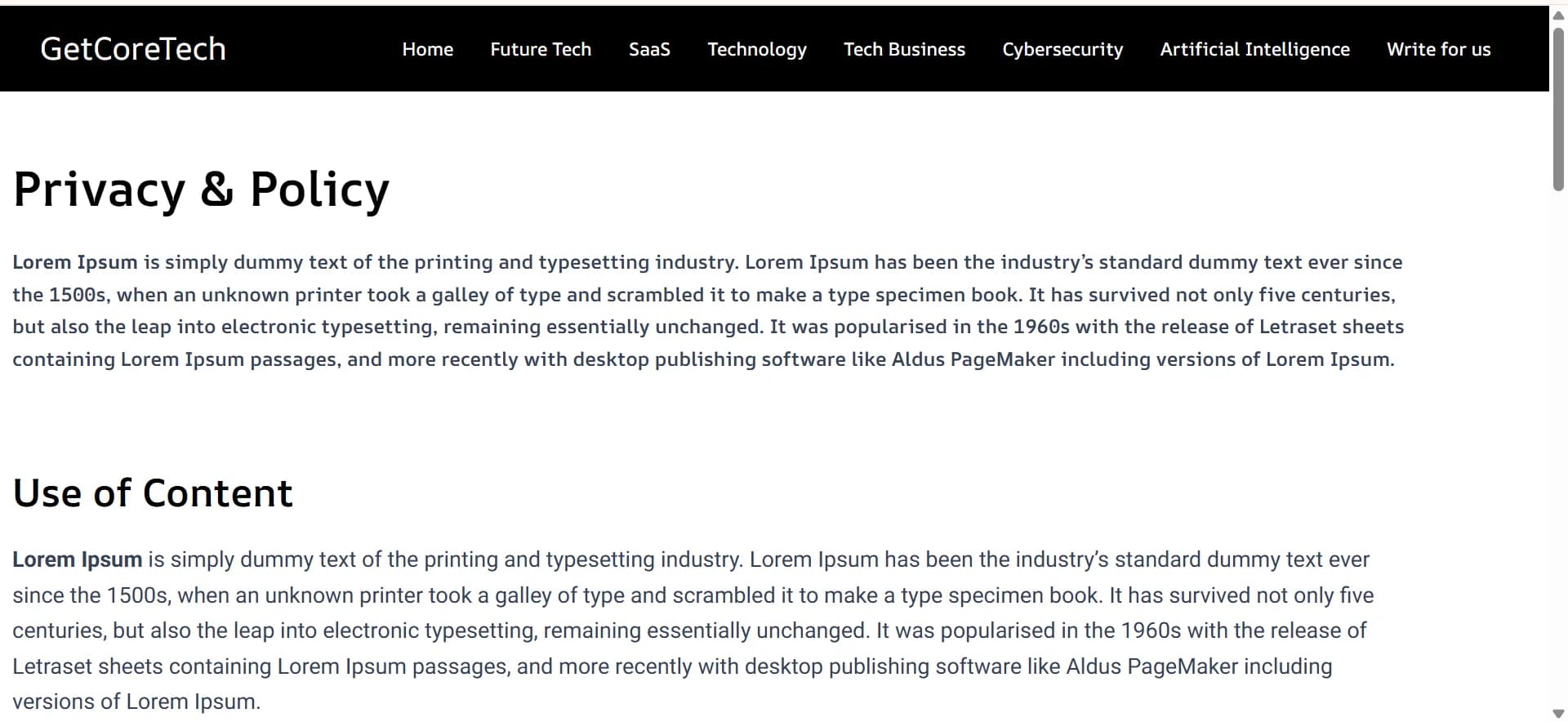
Lorem ipsum placeholder text live on Privacy Policy page

Lorem ipsum placeholder text live on the Contact Us page
The footer detail. This is the one that stuck with me. The site's own "About" blurb, in the footer, on every single page, was itself lorem ipsum — specifically the version that explains what lorem ipsum is and why designers use it. So the site was, quite literally, describing placeholder text to its visitors as if it were real content about the company. It had been sitting there since launch. Nobody had gone back to replace it.
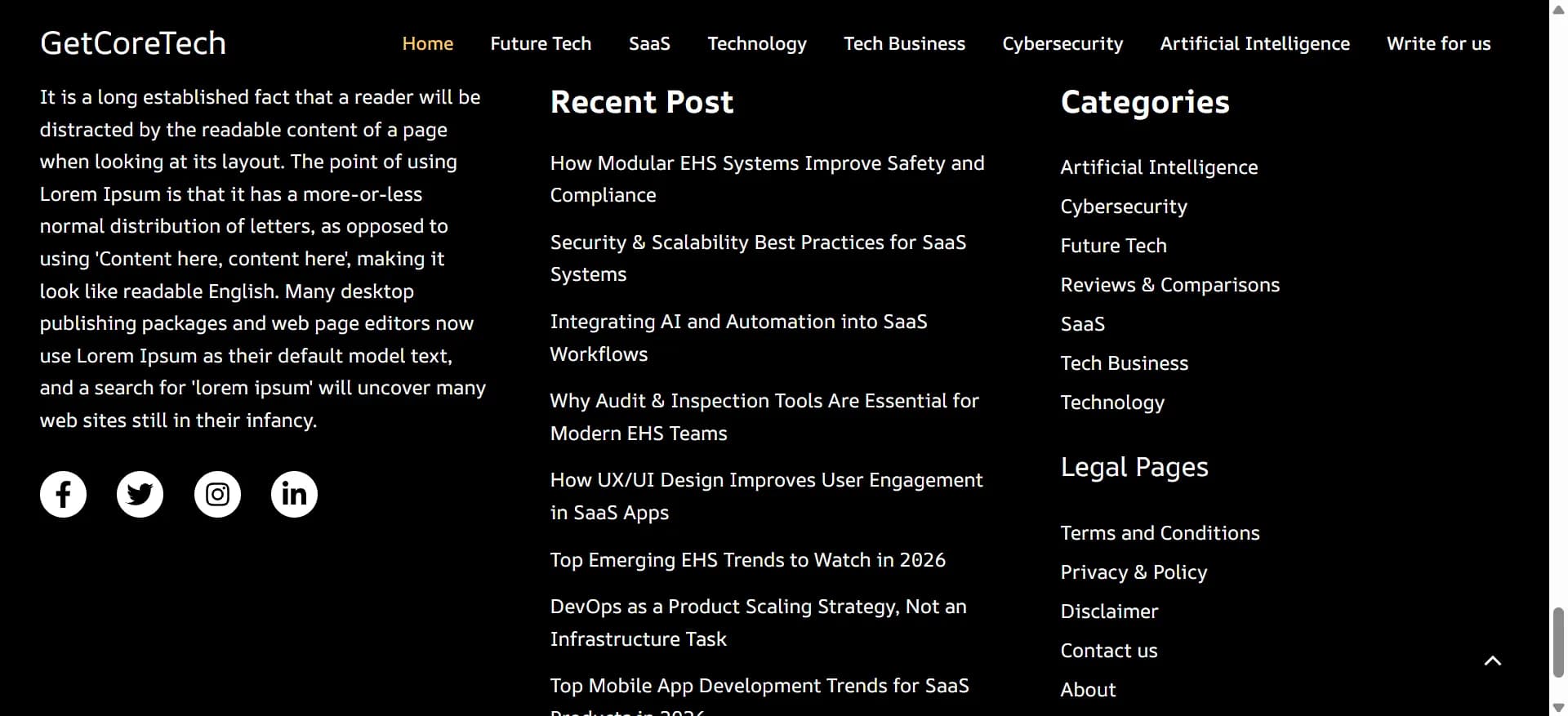
WordPress site footer showing lorem ipsum About text
Broken links scattered through the site, leading nowhere.
A generic, unstyled theme — a basic, out-of-the-box WordPress theme with essentially no design work applied to it, despite this being a paid, professionally-built site.
Taken together, I'd put the site's actual condition at around a 4 out of 10 at this point. It was live. It was, technically, now indexed. But almost nothing about it reflected the fact that someone had paid real money for a professional build.
Why "Finished" and "Good" Aren't the Same Thing for a Website
My brother's original ask was simple: better styling, a real theme. But once I was already in there fixing lorem ipsum and broken links, it stopped being a small styling pass. Practically everything on the site changed — the layout, the visual design, the content that had been left unfinished, the structure underneath it. What started as "make it look better" turned into a full rebuild, because the more I looked, the clearer it became that a surface-level fix wasn't going to be enough. The rebuilt site went live on 12 September 2026.

Old getcoretech.net homepage on the WordPress build, before the rebuild

New getcoretech.net homepage after the 12 September 2026 relaunch
Building a Custom WordPress Admin Panel for Full Content Control
The theme and styling were the visible half of the fix. The other half — arguably the more important one — was giving my brother actual control over his own site.
Under the old setup, he was stuck working through stock WordPress admin, on a build he didn't fully understand, for a site someone else had built. So alongside the redesign, I built him a custom admin panel from scratch. If you're weighing the same move, here's what you actually have to rebuild when you leave WordPress's admin. What it does:
Dashboard: real numbers, not vanity metrics
The landing screen shows the numbers that matter at a glance: draft articles, published articles, unread messages, subscriber count. Below that is a "Top articles by views" table using first-party view tracking — counted directly on the site itself, rather than through a third-party analytics script. That means the numbers aren't sampled and aren't silently dropped by ad blockers, which is a real problem with typical GA-based tracking. I ran first-party and third-party analytics side by side.
Estimated vs. actual read time
This is my favorite feature in the whole panel. It compares the "N min read" label shown to visitors (calculated from word count) against the real, measured time visitors actually spend on the page. The gap is often brutal, and it's the reason estimated read time is usually wrong. One article displayed as a 10-minute read had an actual average time-on-page of 0.3 minutes. It's an honest, slightly uncomfortable signal about which articles are actually being read versus which ones people bounce off immediately, and it's not something most sites ever surface to the person writing the content.
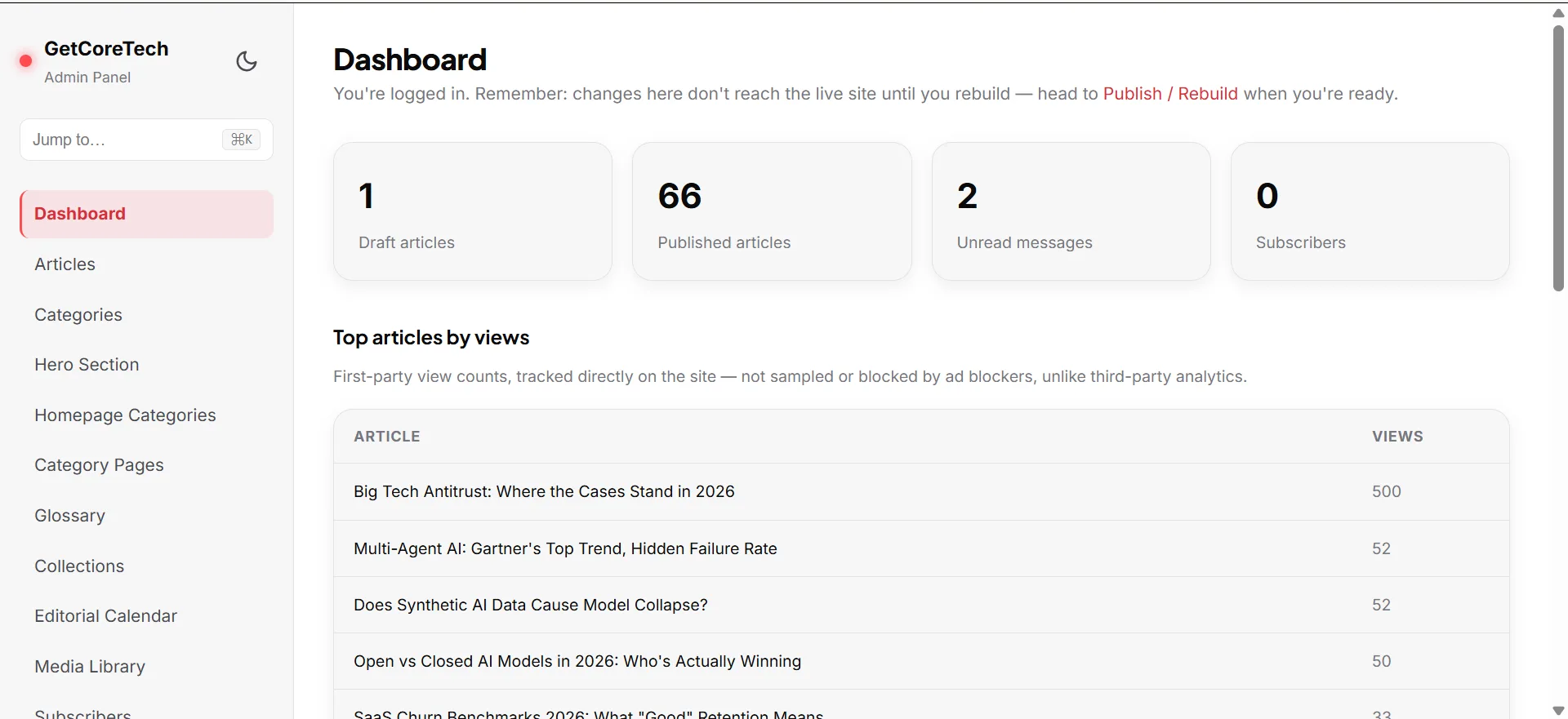
Custom admin panel dashboard for content management
Corrections log
A dedicated place to log and publish corrections to articles. It's a small feature, but it adds a level of editorial seriousness the original site never had.
Publish / Rebuild
The dashboard carries a standing note: "Changes here don't reach the live site until you rebuild." The new site is statically generated rather than dynamically rendered like the old WordPress build, so edits go into the admin panel first and a rebuild step pushes them live. Here's what "rebuild to publish" means on a static site. It's a different mental model than WordPress, where saving a post makes it live instantly, so the dashboard flags it clearly.
Everything else
The rest is what you'd expect from a content system: articles, categories and the homepage hero, a glossary and collections, an editorial calendar, a media library, subscribers and comments, press mentions, and an audit log with security settings, all in one place instead of scattered across plugins.
The bigger point behind all of this: my brother no longer has to depend on a developer just to manage his own content. Whatever happens with any future collaborator, he actually owns and controls the site now.
The Takeaway
A site being live, indexed, and populated with content doesn't mean it's finished. "Done" and "good" are two different bars, and it's worth checking the difference yourself rather than assuming a paid build cleared it.
A few concrete things worth doing if you're evaluating a site — yours or someone else's:
- Search the site for "lorem ipsum" yourself, as part of a 5-minute website audit. It catches a surprising number of unfinished builds, including ones that have been live for months.
- Click through every footer, legal page, and contact page specifically. These are the pages most likely to get skipped during a rushed launch, because nobody thinks to double-check them after the "real" pages are done.
- If you're not technical, ask whoever manages your site whether you actually have independent control over your own content, or whether you're dependent on them for every change. That dependency is exactly the trap my brother was in before this rebuild.
What's Next
The redesign and the admin panel solved the content and usability problems. But there was still a bigger architectural question underneath all of it: why keep building on WordPress at all, once the plan was to rebuild the site properly? That decision, and why I ultimately moved the site, is covered in why I moved the site from WordPress to Next.js.
Related Posts
- 5-Minute Website Audit Before You Call It "Done"
- Why Your Estimated Reading Time Is Usually Wrong
- What Is "Rebuild to Publish" on a Static Site?
- First-Party vs Third-Party Analytics Explained
- First-Party vs Third-Party Analytics: I Ran Both
- Custom Admin vs WordPress Admin: What You Rebuild
This is Post 2 of 3 in Rebuilding a Dead WordPress Site: The Full Series, on rebuilding getcoretech.net. Post 1 covers the checkbox that kept the site out of Google. Post 3 covers why I moved the site from WordPress to Next.js.

Comments
No comments yet — be the first.