

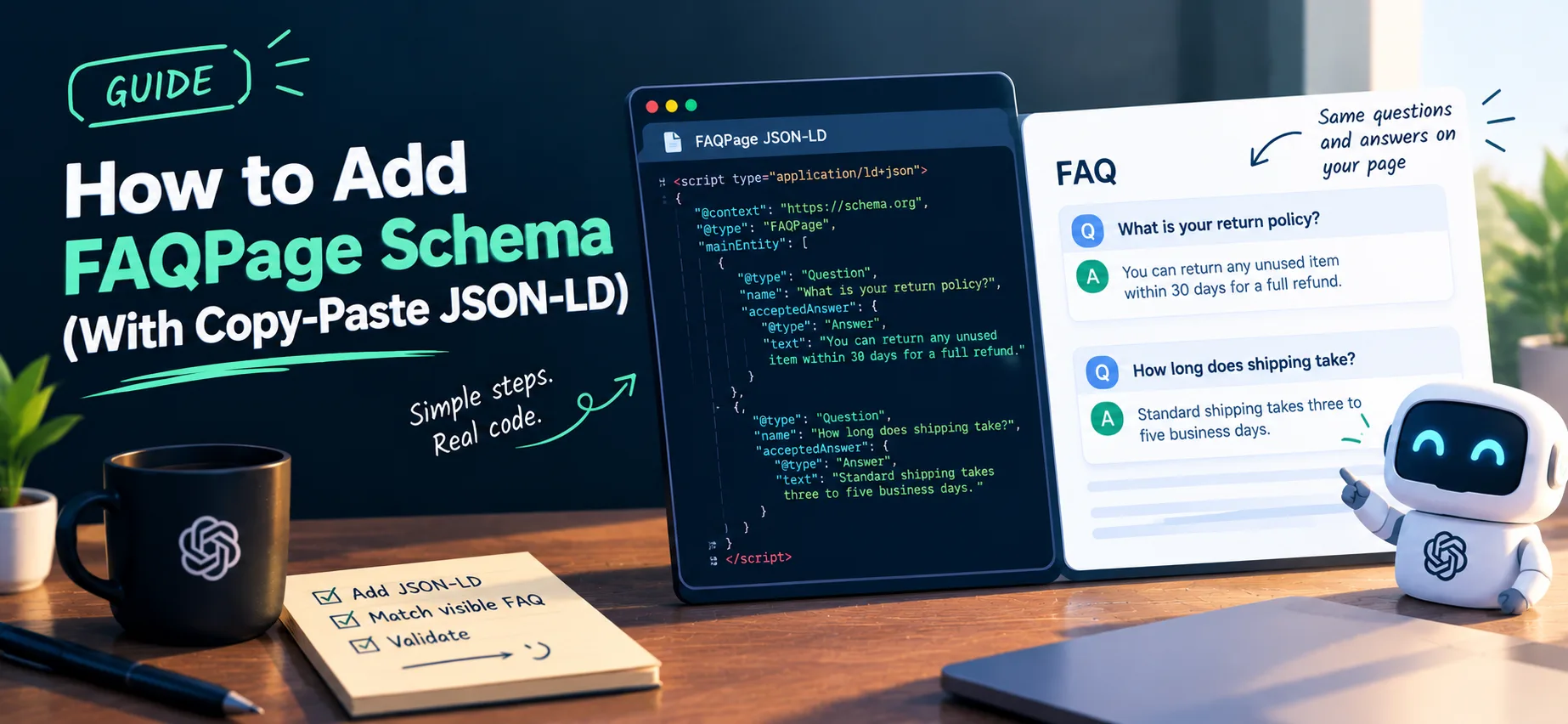
To add FAQPage schema, put a JSON-LD block on the page that lists each question and its answer, and make sure the same questions and answers are visible in the page content. The template is below. Before you start, know that Google stopped showing FAQ rich results in search on May 7, 2026, so this markup will not give you expandable dropdowns. It is still a valid way to describe a real FAQ section to machines.
Should you add it?
Add FAQPage only if the page has a genuine FAQ section that visitors can read. Skip it if you would be inventing questions just to carry markup, or if the questions are not on the page.
Google changed the feature in two steps. In August 2023 it limited FAQ rich results to well-known government and health sites, and on May 7, 2026 it stopped showing them altogether. You do not need FAQ markup for Google rankings, and it is not required for any AI tool we know of. Google has also said that structured data it does not use does not cause problems for Search, so valid markup that matches a real FAQ can stay where it is.
Our companion guide, what FAQ schema does and does not do, covers this in detail.
The template
If JSON-LD is new to you, structured data for beginners explains what it is and what to add first.
Copy this block, then replace the questions and answers with your own:
<script type="application/ld+json">
{
  "@context": "https://schema.org",
  "@type": "FAQPage",
  "mainEntity": [
    {
      "@type": "Question",
      "name": "What is your return policy?",
      "acceptedAnswer": {
        "@type": "Answer",
        "text": "You can return any unused item within 30 days for a full refund."
      }
    },
    {
      "@type": "Question",
      "name": "How long does shipping take?",
      "acceptedAnswer": {
        "@type": "Answer",
        "text": "Standard shipping takes three to five business days."
      }
    }
  ]
}
</script>
Each question is an object with "@type": "Question", a name holding the question text, and an acceptedAnswer containing an Answer with its text. Add one object to mainEntity for every question.
Step by step
1. Write the visible FAQ first
Add the questions and answers to the page as normal content. Write short, direct answers, in the way how to write answers AI tools can quote describes. The structured data should be a description of this content, not a separate version.
For the template above, the visible part of the page would look like this:
<h2>Frequently asked questions</h2>

<h3>What is your return policy?</h3>
<p>You can return any unused item within 30 days for a full refund.</p>

<h3>How long does shipping take?</h3>
<p>Standard shipping takes three to five business days.</p>
Every name and text in the JSON-LD has a matching heading and paragraph that visitors can read. That match is the whole idea.
2. Copy the template into your page
Place the script block in the head or body of the page. Put the markup in the page's HTML, because markup added only by JavaScript can be missed by tools that do not run scripts. Where it goes depends on your setup:
- Plain HTML: paste the script block into the page file.
- WordPress: use a custom HTML block in the page, or your theme's or SEO plugin's custom code option.
- Shopify: add the script block to the relevant theme template file.
- A JavaScript framework such as Next.js: render the script tag on the server, so it is in the HTML your server sends.
3. Match the text
The name and text values should match what visitors see. Small formatting differences are fine. Different wording, extra hidden questions, or answers that say something else are not.
4. Escape special characters
JSON is strict. Use straight double quotes around keys and values, and put a backslash before any double quote inside your text, like \"quoted\". Do not leave a trailing comma after the last item in a list. One missing comma breaks the whole block.
5. Keep answers plain
Simple text works best. If you need a link or a list in an answer, keep the HTML basic, and check that your answer reads sensibly without it.
6. Validate it
Paste the page URL or code into the Schema.org Markup Validator to check that the markup is well formed. To catch broken JSON quickly, you can also paste just the JSON (the part between the script tags) into any JSON validator.
Google announced that it would drop FAQ support from the Rich Results Test and from the Search Console FAQ report in June 2026, so those are no longer the place to check it. After you publish, you can use URL Inspection in Search Console to see that Google can fetch the page.
7. Confirm the markup is really in your HTML
Open your page, view its source (in most desktop browsers, right-click and choose View Page Source), and search for application/ld+json. If you find it next to your questions, the markup is in the HTML your server sends.
You can run the same check from a terminal. This command fetches the raw page and counts the lines that mention JSON-LD:
curl -s https://halfdev.com/quick-wins/add-faqpage-schema-copy-paste-json-ld | grep -c "application/ld+json"
A number above zero means the raw HTML carries JSON-LD. A zero for a page where you expect markup means it is probably being added by scripts after the page loads, which some tools will miss.
Rules to follow
- One FAQPage per page. Put all of the page's questions in a single block.
- Only for real FAQs. The page should be a list of questions with answers written by you. If visitors can submit their own answers, a different type (QAPage) fits better.
- Not for advertising. Do not use FAQ markup to promote products inside the answers.
- Every question must be visible. Never mark up content that is hidden from users.
- Keep it current. When you change an answer on the page, change it in the markup too.
Common mistakes
- Marking up questions that are not on the page
- Adding FAQ markup to every page on the site by default
- Copying the same FAQ onto many pages
- Broken JSON from unescaped quotes or trailing commas
- Expecting a rich result that Google no longer shows
Check what your page carries
Run your page through the free GEO checker to see whether FAQ markup is present. Treat the result as an extra, not as a Google requirement.
Comments
No comments yet — be the first.